

Unpacking the Bet.co.za Mobile Site & Betting App
A review of the Bet.co.za mobile site. We provide an overview of the user experience, including betting features, placing bets and transferring funds.
What is the Bet.co.za app?
For over a decade and a half, Bet.co.za has been one of Mzansi’s leading betting sites, offering a comprehensive sportsbook with horse racing and a vast array of slot games and table games with live dealers. Licensed and regulated by the Western Cape Gambling and Racing Board, punters can be at ease when playing with Bet.co.za, as they are a legal betting site in South Africa.
Bet.co.za specialises in sports betting and houses a comprehensive sportsbook spanning over 25 sporting codes. Their promotions and bonuses are tailor-made for the average sports punter as they understand the thrill of a winning ticket and the heartache of a last-minute beat. Besides their large sportsbook, Bet.co.za’s casino platform is nothing to scoff at, offering a wide range of games, including slots and live-dealer table games such as baccarat, poker and blackjack.
Bet.co.za is one of the few South African bookmakers without a mobile app; however, they have invested heavily in creating a mobile site that rivals their desktop site. The mobile site for Bet.co.za is fast and fully responsive, making it perfect for placing bets on live in-play betting, where odds change rapidly or for putting together a last-minute weekend acca.
Despite not having a dedicated Bet.co.za app at the time of writing, this Bet.co.za app review provides an overview of their mobile site and covers everything from betting features and user experience to transferring funds and placing bets on the go.
User Experience on the Bet.co.za Mobile Site?
Bet.co.za mobile site offers a user-friendly interface and a wide range of features. Their mobile site is fast and responsive, making it ideal for casino games and live in-play betting. Their mobile site is identical to their desktop site, making signing up a breeze and logging into your Bet.co.za account effortless. Their site uses advanced security measures to protect all players’ personal information and bank transfers.
Bet.co.za has managed to combine simplicity and usability in their mobile site, showing that you do not need to download a Bet.co.za app APK to enjoy mobile gambling. Using the Bet.co.za mobile site is a great option for players, whether you are a newbie punter or an experienced gambler.
Betting Features Available on the Bet.co.za App?
Bet.co.za offers exciting features on their betting platform. These include cashouts and auto-cashouts for when you are too busy to keep track of your bets, to guarantee you some winnings. Bet.co.za offers a live animation match tracker and live stats page for most leagues, allowing you to track the games to make better-informed in-play bets. You can also use the stats page to assist you when creating bet-builders on your favourite props. Despite not offering a Bet.co.za mobile app, their mobile site has proven capable of rivalling their desktop site and is a superb feature for mobile gaming enthusiasts.
How to Place a Bet on the Bet.co.za Mobile Platform?
The best part of betting apps is the ability to place bets anytime, anywhere. Despite not offering a Bet.co.za app for Android or iOS devices, Bet.co.za offers a mobile site that allows you to place your desired bet right at the palm of your hand. Placing a bet on the Bet.co.za mobile site is the same as using the desktop browser, and is just as responsive and efficient for mobile use.
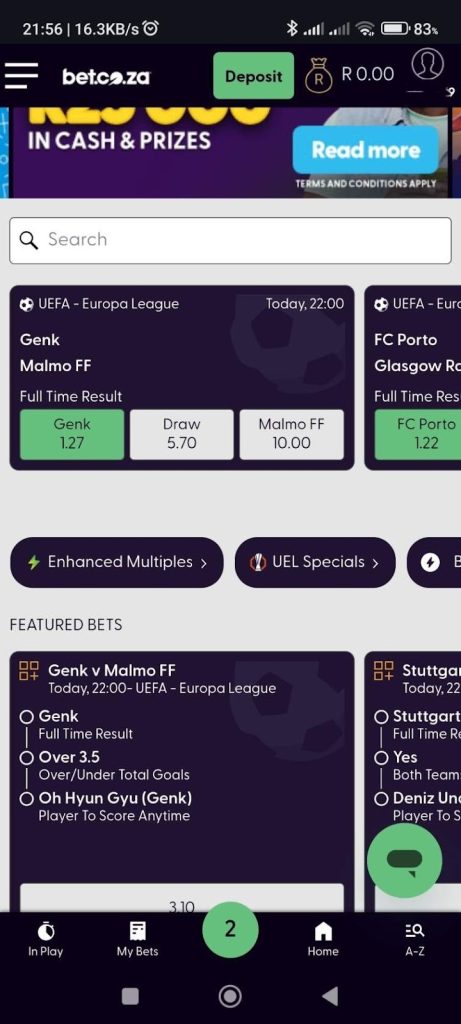
Using the burger menu or the search bar, you can select the sport or event that you would like to wager on. Select the bet or bets you like and click on the bet slip icon (green coloured number) at the bottom of the toolbar to place your wager.
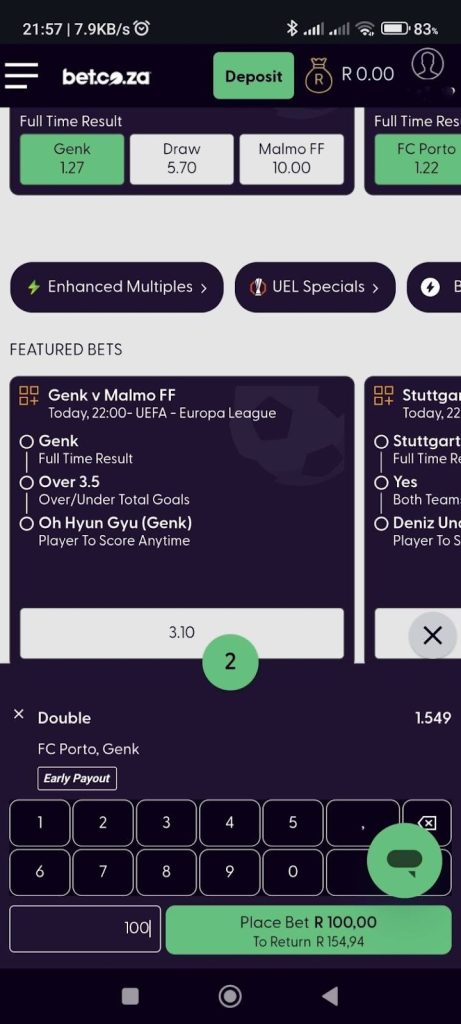
In the bet slip section, you can enter your wager or change the bet type, i.e. select a multiple or multiple single bets. Once you are happy with your slip, click the Place Bet button.
How to Deposit Funds on the Bet.co.za App?
Although there is no Bet.co.za app to download for depositing funds into your betting account, depositing funds is easy and takes only a couple of steps. The process is identical whether you are using the mobile or desktop version.
After logging into your Bet.co.za betting account, you can deposit funds into your account by clicking the Deposit button in the top-right corner. On the deposit screen, enter the amount you wish to deposit and the preferred payment method. Click Submit, and the funds will be deposited into your Bet.co.za account, which is normally processed instantly, or it may depend on your bank if using an EFT.
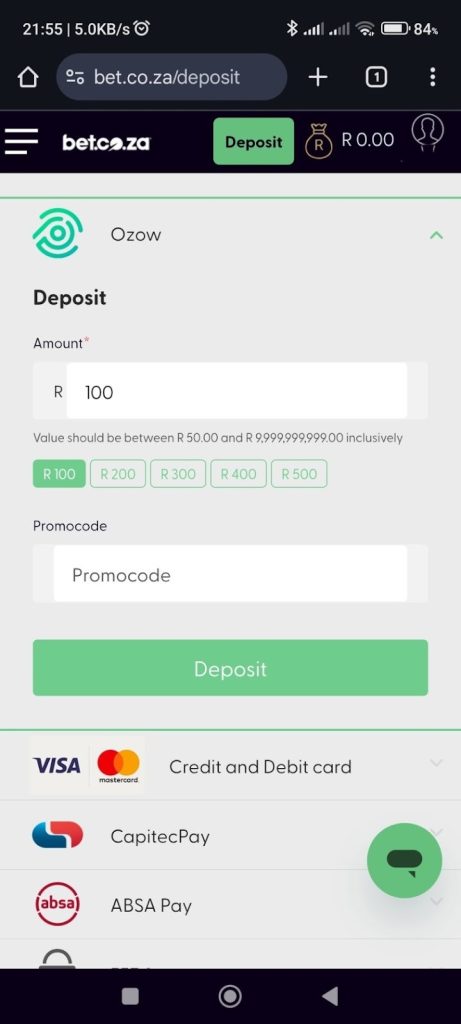
Enter the deposit method, deposit amount and any promo codes when making a deposit
How to Withdraw Funds on the Bet.co.za App?
There may not be a dedicated Bet.co.za app for withdrawing funds from your betting account; however, the process is simple. The process is identical whether you are using the mobile or desktop version, and it only takes a couple of easy steps
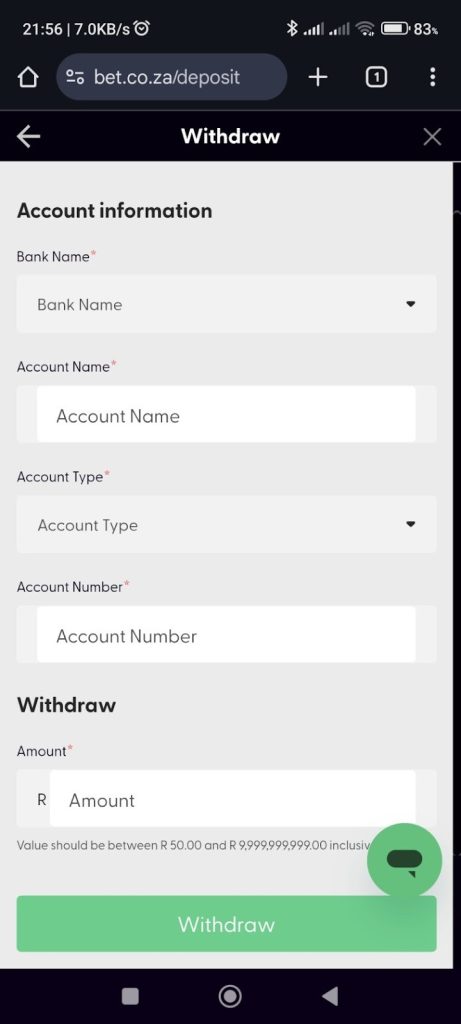
To withdraw funds from your Bet.co.za account, you need to click the profile icon button located next to the Deposit button. Click the withdrawal button to go to the withdrawals section. Select your banking account that is in your name and the amount you would like to withdraw, and click the submit button to complete your withdrawal.
How to Use Cash Out on the Bet.co.za Mobile App?
Bet.co.za does not offer a mobile app to place cashouts on your unsettled bets. However, players who prefer to use their mobile devices to place a wager should not be deterred, as the mobile site for Bet.co.za offers cashout, and it works similarly to the desktop site. After you have placed your bet with Bet.co.za, you can click the My Bets option on the toolbar located at the bottom of the mobile site to access your bets.
On the My Bets page, you can select the bet you wish to settle and accept the cashout amount. Bet.co.za also offers an auto cashout feature, where you select the amount you want to cash out on any of your unsettled bets. The auto cashout will activate once the amount is reached, so that when life gets busy, your cashout will always activate.
If you are interested in reading more about Bet.co.za and their operations, you can read all about it in our Bet.co.za Review.
Bet.co.za Mobile App: FAQ
Q: Does Bet.co.za have a mobile app in South Africa?
A: No, Bet.co.za does not have a dedicated mobile application. However, for players who prefer to use their phones, Bet.co.za does offer a mobile site for betting. The site functions similarly to their desktop version and is quite fast and responsive, making it perfect for on-the-go betting, including live in-play bets.
Q: Can I deposit and withdraw on the Bet.co.za app?
A: Bet.co.za has yet to develop a mobile app for their betting site. However, players can deposit and withdraw funds from their betting account using the mobile version.
Q: How to deposit money on Bet.co.za?
A: After logging into your Bet.co.za betting account, simply click the Deposit button. In the deposit funds section, click your preferred payment method and the amount you want to deposit. Thereafter, click submit to deposit funds into your Bet.co.za betting account.
Q: How to withdraw money from Bet.co.za?
A: It is quick and easy to withdraw money from your Bet.co.za account. Once you have logged into your Bet.co.za account, click the profile icon to enter the My Account section. Select Withdraw funds from the My Account section to enter the withdrawals page. Select your bank account and the amount of money you would like to withdraw, and click Proceed to withdraw funds from your Bet.co.za account.
Writer/Betting Tipster
I have been in the iGaming industry for a decade and am an avid sports bettor and fan. I have expanded my betting knowledge to create articles on the iGaming industry focusing on online casino content and sports betting analysis for several regions, including South Africa. I cover various sports, including Soccer, Cricket and Horse Racing. All my predictions, tips and insights are thoroughly researched and I aim to help fellow punters in beating the bookies!